Features
Everything you need to run and grow a shop
A till your staff can use all day, stock you can trust across every branch, and the numbers to tell you what's actually working. Online or off.
Sell
The till your staff use all day.
- A fast till
- Search or tap through your products, or punch in a price. Runs on any Android phone or tablet you already have.
- Keeps selling offline
- Power cut or network down, the till still rings up sales. Everything syncs by itself once you reconnect, and you can see exactly what's still waiting.
- Park a sale
- Hold an order, serve the next person, come back to it. Nothing lost when a customer goes back for one more thing.
- Receipts, printed or shared
- Thermal printers over Bluetooth, USB or network — or send a PDF straight to the customer's phone.
- Refunds with a record
- Refund at the till within your window, and every refund is logged against the person who made it.
- More than one currency
- Price and take payment in the currencies you actually trade in, at the rates you set.
Stock
Know what you have, everywhere.
- Load your stock from a photo
- Photograph a handwritten or printed stock list and we type it up — item names and quantities, line by line. This is how most shops get started without a week of data entry. Try it free →
- Stock on hand
- What's in each shop and warehouse, updated as you sell.
- Alerts before you run out
- Set a level per product and get told while there's still time to reorder.
- Counts you can trust
- Stock counts hide the expected figure, so staff record what's actually on the shelf instead of confirming what the system already thinks.
- Move stock between shops
- Transfer stock from one branch to another and keep both sides accurate.
- Purchase orders that suggest themselves
- Order from your suppliers, and let the replenishment worksheet propose what to reorder based on what's moving.
Money
What you actually made, not just what you took.
- Profit, not just turnover
- Margins by product and by shop, so you can see what's worth selling.
- What sold today
- Sales by day, shop and till, without exporting anything into a spreadsheet first.
- Cash accounted for
- Every cash movement recorded, and shifts that reconcile at close.
- Every price change, on the record
- Who changed a price, when, and what it was before.
- Expenses from the floor
- Staff log expenses at the till; you approve them in the office.
- What actually sells
- Product intelligence on your best and worst lines.
People
Who did what, and what they're allowed to do.
- A PIN for each cashier
- Staff sign in with a PIN on a shared till, so every sale has a name against it.
- Permissions by role
- Each person gets only what their job needs — voids, refunds, price overrides and approvals are all separately controlled.
- Shifts that close properly
- Open a shift, close it, and reconcile the cash drawer against what was rung up.
- How your team is doing
- Performance per employee, so you know who's carrying the shop.
- You approve every till
- A new device registers itself and waits for you to let it in.
Across the whole business
Two apps, one system
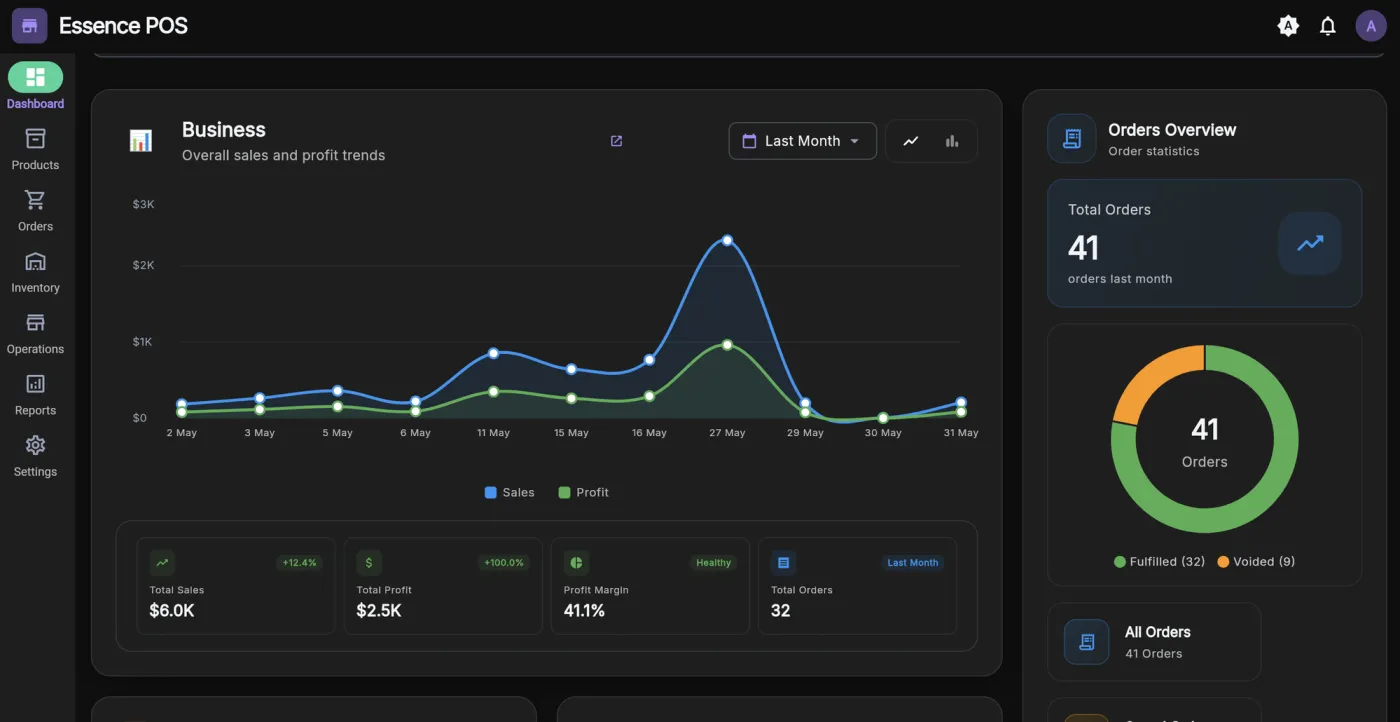
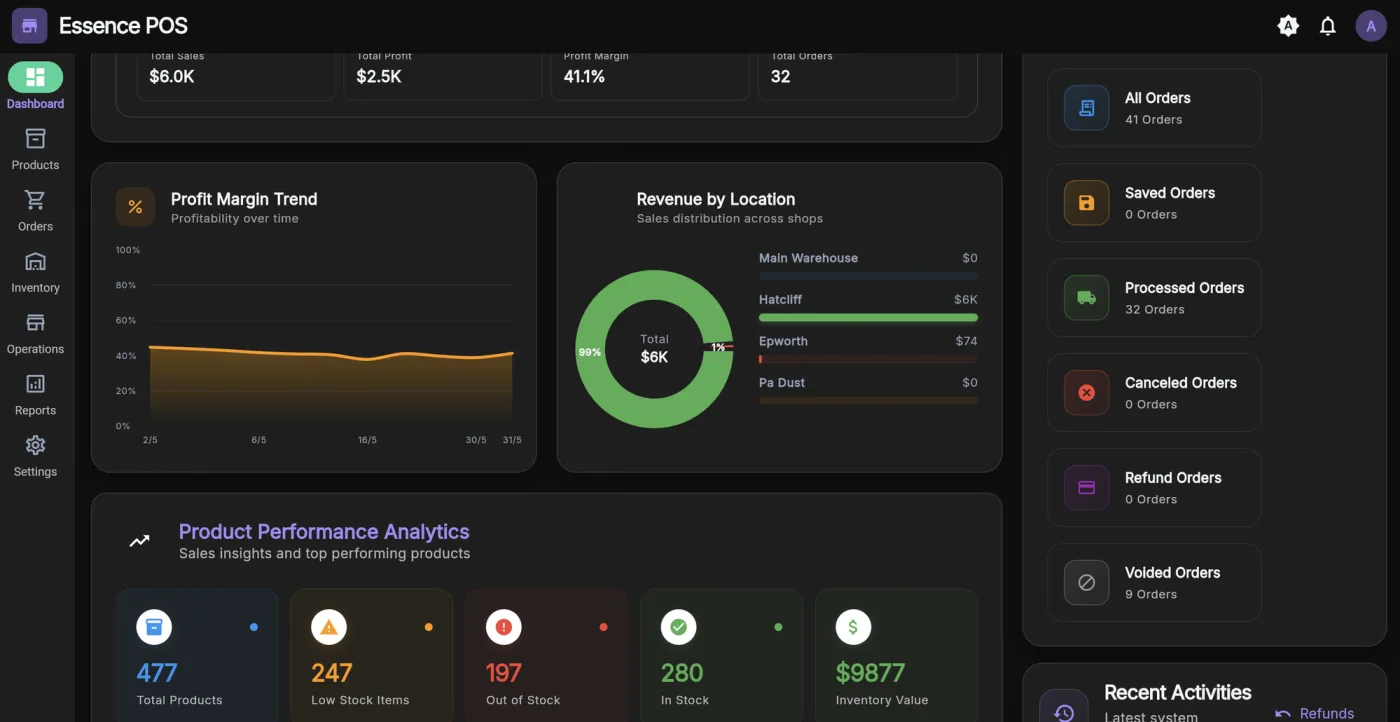
Admin dashboard
For you, in any browser.
- Runs the business
- Products, stock, suppliers, purchase orders, expenses, staff and reporting for every location, from anywhere.
Cashier app
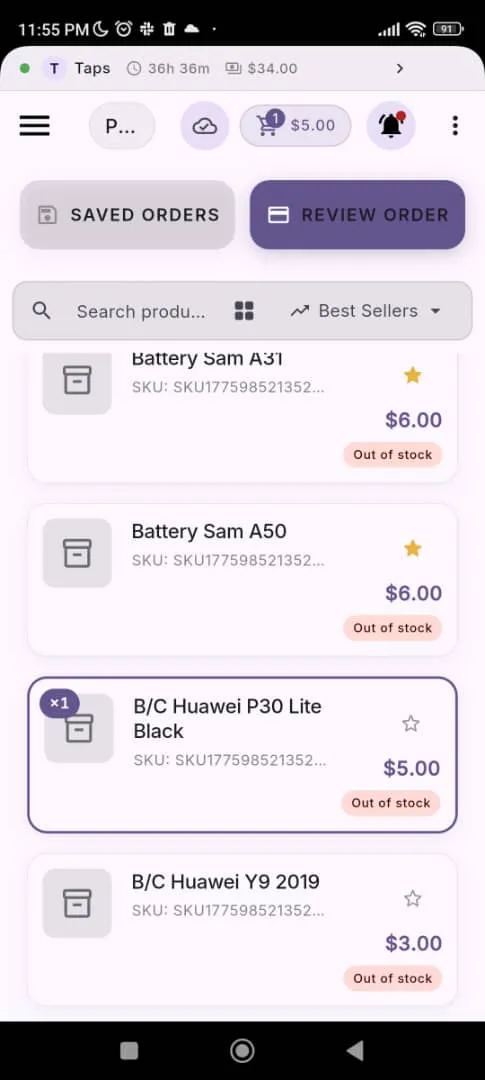
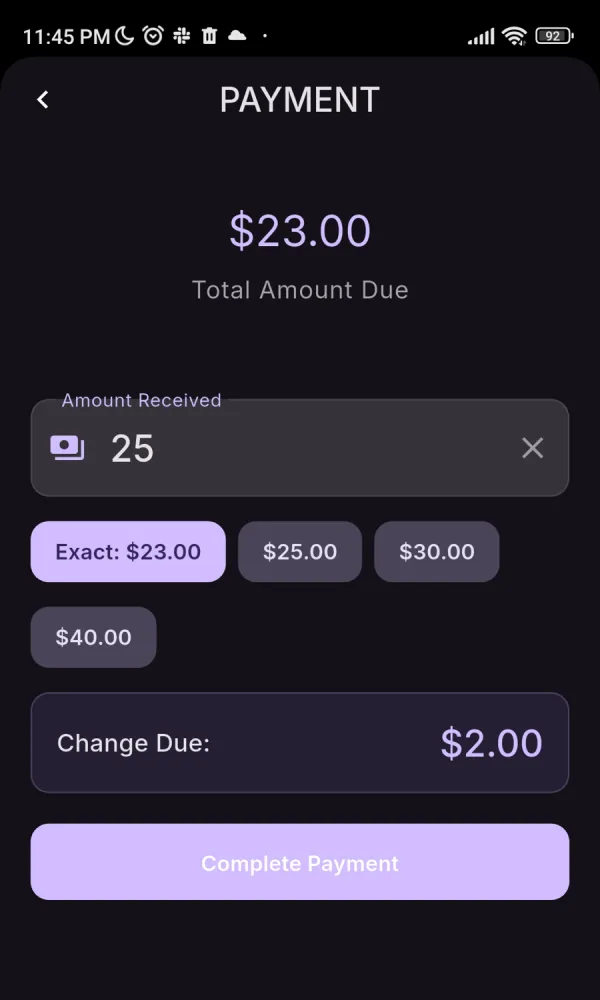
For your staff, on any Android device. iOS is coming.
- Runs the till
- Selling, refunds, shifts, cash-up, stock counts and transfers — working through an outage and syncing by itself afterwards.
Start selling with the whole system
Set up your business, put the till in your staff’s hands, and see every sale, stock movement and cash-up in one place.